
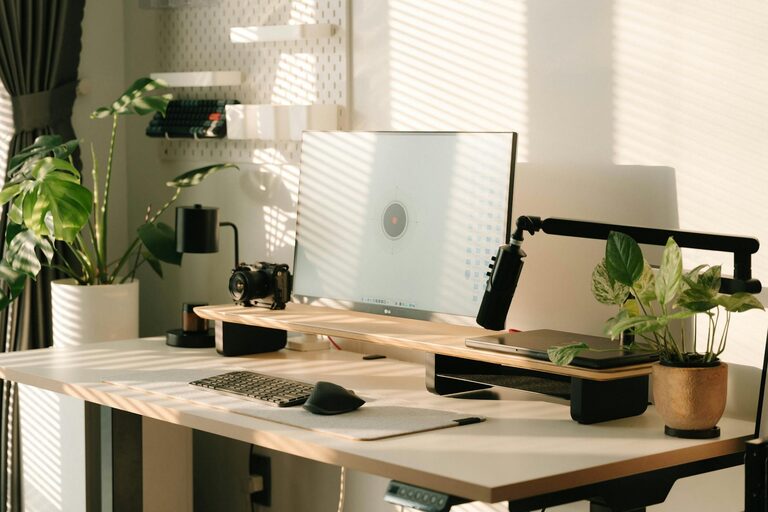
Creating a home office that is both cozy and productive can significantly enhance your work-from-home experience. Whether you’re new to remote work or want to upgrade your current setup, a well-planned home office helps you stay focused and motivated while feeling comfortable throughout the day. Here are some helpful tips to design a space that encourages both relaxation and efficiency.
1. Choose the Right Location
Consider Natural Light
Whenever possible, set up your office near a window. Natural light boosts mood and reduces eye strain, helping you stay alert and positive. If natural light is limited, invest in quality lighting to brighten your workspace.
Minimize Distractions
Find a quiet corner or room where interruptions are less likely. This helps you concentrate and maintain a professional mindset throughout the workday.
2. Invest in Comfortable, Functional Furniture
Ergonomic Chair and Desk
Comfort is key when spending hours at your desk. Use an ergonomic chair that supports your back and promotes good posture. A desk at the right height prevents strain on your wrists and shoulders.
Flexible Workspace
Consider adjustable desks to switch between sitting and standing positions. This variation can improve comfort and reduce fatigue.
3. Prioritize Organization
Use Storage Solutions
Clutter can hinder productivity. Incorporate shelves, filing cabinets, or storage bins to keep your materials organized and easy to find.
Keep Essentials Within Reach
Arrange your most-used items close by to avoid distractions searching for supplies during work.
4. Incorporate Personal Touches for Coziness
Add Textiles
Soft cushions, rugs, or throws make your office inviting and comfortable. Textiles can also help absorb noise, creating a quieter space.
Display Inspiring Decor
Photos, artwork, or plants add life and personality to your workspace without overwhelming it. Choose items that motivate you or bring calm.
5. Optimize Technology Setup
Reliable Internet Connection
A steady internet connection is fundamental for remote work efficiency. Position your router strategically or use extenders if necessary.
Manage Cables
Use cable organizers to keep cords untangled and out of sight. A tidy tech setup contributes to a calm workspace.
6. Establish Daily Routines and Boundaries
Set Work Hours
Define specific start and end times for your workday to maintain balance.
Take Breaks
Regular breaks refresh your mind and body. Use alarms or apps to remind you to stretch or step away from the screen.
7. Control Noise Levels
Use Headphones or White Noise
If ambient noise is distracting, noise-canceling headphones or white noise machines can help you focus.
Soundproof Your Space
Add thick curtains, rugs, or door seals to reduce external sounds when possible.
8. Maintain Good Air Quality and Temperature
Ventilate Regularly
Fresh air rejuvenates your workspace and helps keep you alert. Open windows when weather permits.
Adjust Temperature Comfortably
Keep the room at a comfortable temperature to avoid discomfort that can distract you.
Conclusion
Designing a cozy and productive home office is about balancing comfort with functionality. By selecting the right location, investing in ergonomic furniture, staying organized, and adding personal touches, you can create a space that supports your best work. Regular routines, good lighting, and proper technology setup further boost productivity. With these tips, your home office will be a place you enjoy working in every day.